File A File/Find An Object Software
Find-A-File / Find-An-Object is a powerful standalone RFID File/Document Tracking Mobile Application designed to help
organizations quickly locate, track, audit, and manage files and physical objects tagged with RFID
tags/labels. Built for speed and accuracy, the app enables users to identify the exact location and
status of files, documents, and assets in real time, significantly reducing search time and manual
effort.
The application supports RFID tag encoding using standard RFID printers as well as direct
tag
encoding through the mobile app, providing flexibility in tag creation and deployment. Key features
include file and object search, single and bulk item location, audit and inventory
management, and RFID-based verification, making it ideal for file/object tracking and
inventory control/audit.
To support enterprise workflows, Find-A-File / Find-An-Object offers seamless integration with laptops
and desktops using CSV files. Users can populate a predefined CSV template on their computer
and import it into the mobile application after transferring it to the designated mobile folder. This
enables bulk data uploads, faster onboarding of records, and easy synchronization between desktop
systems and mobile operations.
Widely used across government departments, legal offices, warehouses, libraries, healthcare facilities,
and enterprises, the solution improves operational efficiency, accuracy, and accountability
while ensuring reliable RFID-based tracking, audit readiness, and secure file and object management
from a single mobile platform.
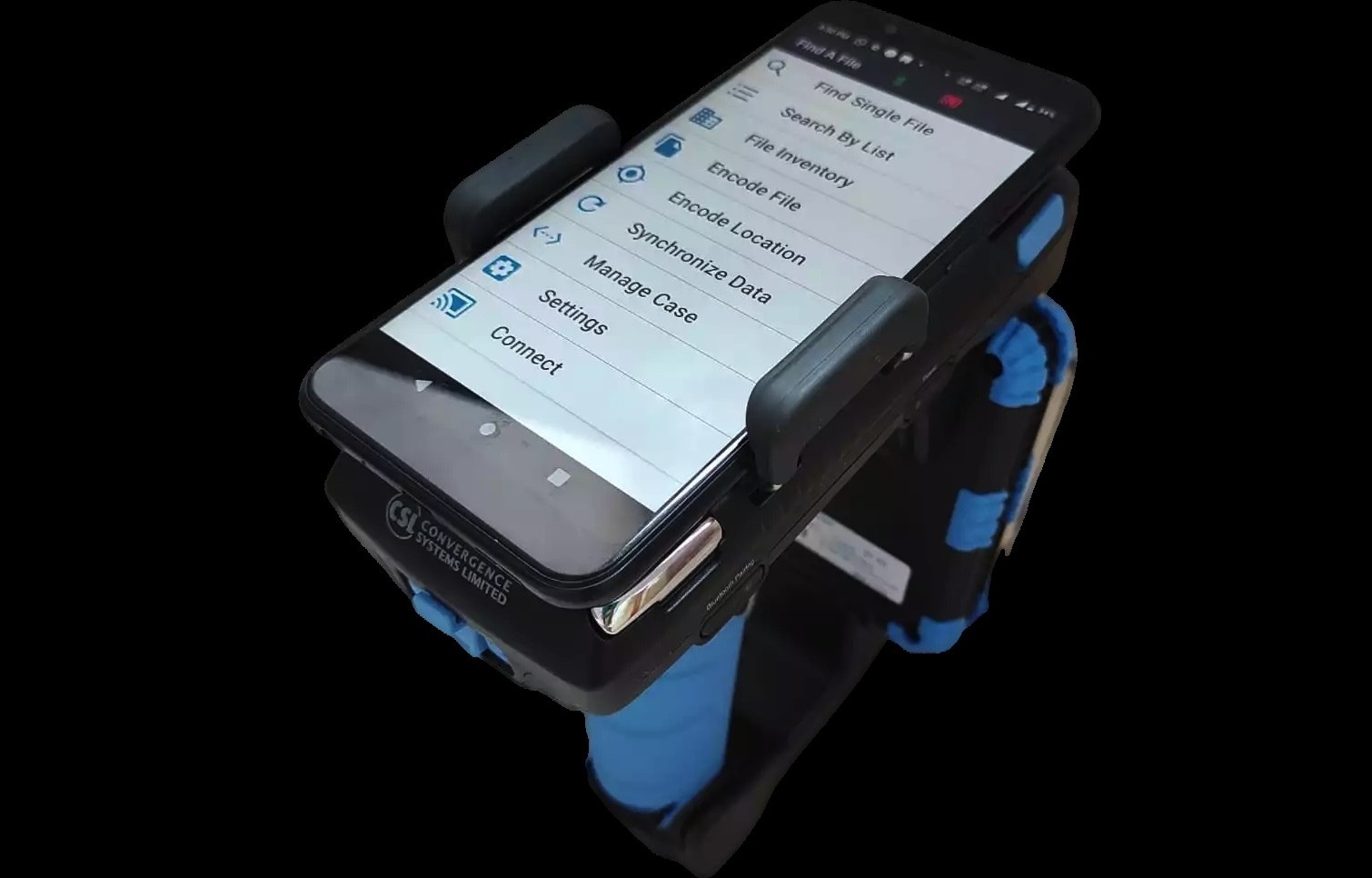
Key Features:
- Associate a File/Object ID with an RFID tag Associate File ID or Object ID with RFID tag ID using Mobile App
- Encode an File/Object ID into an RFID EPC
- File/Object Location: Users can quickly locate files or objects by scanning RFID tags using their mobile device.
- Audit & Inventory: The app allows users to perform audits and inventory checks of tagged items, ensuring accurate tracking and management.
- CSV Integration: Users can import data from CSV files created on laptops or desktops, facilitating easy data entry and management.
- Locate a single object using the Find Single Tag/Object function
- Locate multiple objects using Search by List
- Multi Location Support
- Configuranle File ID length support
- Left & Right Zero padding for File ID
- No Server, No IT Infrastructure required
- Very useful for small/medium sized businesses
- Data Export/Import using CSV files